
 English
 Turkish
 Hindu
Hindu
 Other
Other








Essential Apps for Your Stay in Alanya
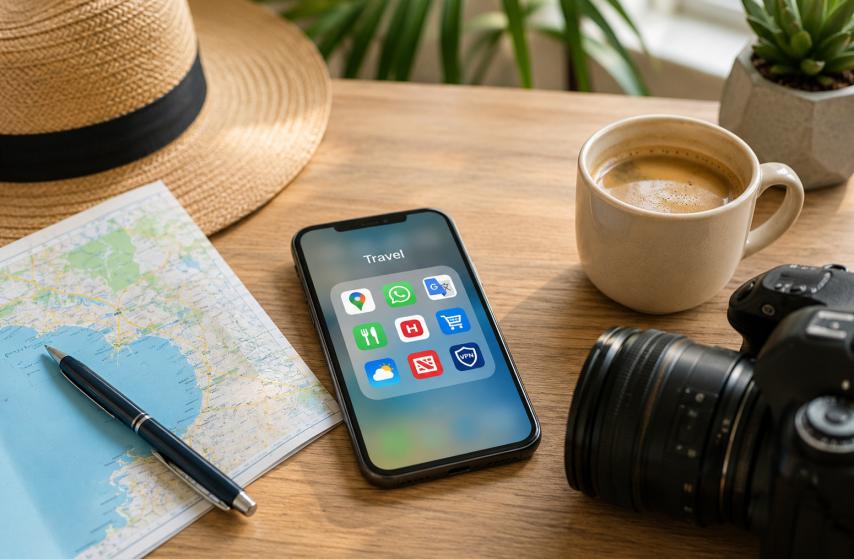
Whether you're visiting Alanya for a short holiday or planning a longer stay, having the right apps on your phone can transform your experience.
From navigating the city’s winding streets to ordering food, staying connected, or keeping up with local news, these apps will help you live like a local and make the most of your time in Alanya.
Always use common sense when downloading apps and stick to official app stores.
Your online safety is just as important as your physical safety while traveling.
The world is too good to be lived through a screen
Finally, while these apps are incredibly useful, don’t spend your entire holiday glued to your phone. Use it when needed but remember to put it away and soak in the beauty of Alanya.
Take the time to explore, engage with locals, and create real-life memories that will last a lifetime.
📍Navigation: Never Get Lost in Alanya
Google Maps
Google Maps is the most reliable app for real-time navigation, traffic updates, and discovering points of interest in Alanya. It works well for both walking and driving, and its offline maps feature is a lifesaver in areas with spotty internet.
How to use it:
- Download offline maps for Alanya to use without an internet connection.
- Use the "Explore" tab to find nearby restaurants, beaches, and attractions.
- Check real-time traffic updates to avoid congestion, especially during peak tourist seasons.
Best practice: Save your hotel or accommodation location as a star to easily navigate back after a day of exploring.
Get in App StoreGet in Google Play
Maps.me
Maps.me is a fantastic offline mapping app that doesn’t rely on an internet connection. It’s particularly useful for hiking trails, remote beaches, and areas where Google Maps might not have full coverage.
How to use it:
- Download the Alanya region map before your trip.
- Use it for hiking in the Taurus Mountains or exploring off-the-beaten-path locations.
- Bookmark your favorite spots for quick access.
Best practice: Enable the "Show hiking trails" option to discover scenic routes around Alanya.
Get in App StoreGet in Google Play
Yandex Maps
Yandex Maps is widely used in Turkey and often provides more accurate local business listings and public transport information than Google Maps. It’s also great for real-time traffic updates.
How to use it:
- Use it to find local businesses, such as small shops or cafes, that might not appear on Google Maps.
- Check public transport routes and schedules for buses and dolmuş.
Best practice: Switch the app language to English in the settings for easier navigation.
Get in App StoreGet in Google Play
💬 Communication: Stay Connected
WhatsApp is the primary communication app in Turkey. Locals, businesses, and service providers (like hotels and tour guides) all use WhatsApp for messaging, calls, and even payments.
How to use it:
- Use it to communicate with locals, book services, or join community groups.
- Enable WhatsApp Web to manage messages from your computer.
Best practice: Save important contacts (e.g., your hotel, taxi driver, or tour guide) with clear names for easy reference.
Get in App StoreGet in Google Play
BIP
BIP is a Turkish messaging app developed by Turkcell, one of the country’s major mobile operators. It’s widely used for free calls, messages, and even video chats.
How to use it:
- Download the app and register with your Turkish phone number.
- Use it to call or message other BIP users for free.
Best practice: If you have a Turkcell SIM card, BIP offers additional perks like free minutes or data.
Get in App StoreGet in Google Play
Telegram
Telegram is another popular messaging app in Turkey, known for its security features and large group chat capabilities. Many expat communities and local groups use Telegram for discussions and sharing information.
How to use it:
- Join local or expat Telegram groups to stay updated on events, recommendations, and news.
- Use its secret chat feature for end-to-end encrypted conversations.
Best practice: Search for Alanya-specific Telegram groups to connect with locals and expats.
Get in App StoreGet in Google Play
E-sim.IO
E-sim.IO, and similar companies provide eSIMs (digital SIM cards) that allow you to access mobile data without needing a physical SIM. It’s perfect for travelers who want to stay connected as soon as they land in Turkey.
How to use it:
- Download the app, choose a data package, and install the eSIM on your phone.
- Ensure your phone is unlocked and supports eSIM technology.
Best practice: Purchase a data package before arriving in Turkey to avoid connectivity issues at the airport.
Get in App StoreGet in Google Play
🌍 Translation: Break the Language Barrier
Google Translate & Google Lens
Turkish can be a challenging language for non-native speakers. Google Translate helps you communicate by translating text, speech, and even images in real-time.
How to use it:
- Use the camera feature to translate signs, menus, or any printed text.
- Download the Turkish language pack for offline translations.
- Use the conversation mode for real-time spoken translations.
Best practice: Learn a few basic Turkish phrases (e.g., "Teşekkür ederim" for "Thank you") to show respect and build rapport with locals.
Get in App StoreGet in Google Play
Duolingo
If you’re planning to stay in Alanya long-term, learning Turkish will greatly enhance your experience. Duolingo makes language learning fun and accessible with its gamified lessons.
How to use it:
- Set a daily goal and complete lessons to build your Turkish vocabulary.
- Use the app’s speaking exercises to practice pronunciation.
Best practice: Supplement Duolingo with real-life conversations to improve fluency.
Get in App StoreGet in Google Play
💰 Financial: Manage Your Money Smartly
XE Currency Converter
XE Currency Converter is a must-have for anyone dealing with multiple currencies. It provides up-to-date exchange rates and helps you understand the value of the Turkish Lira (TRY) against your home currency.
How to use it:
- Check the app before making purchases to ensure you’re getting a fair deal.
- Use the historical rate feature to track currency trends.
Best practice: Avoid exchanging money at airports or tourist-heavy areas, as rates are often less favorable.
Get in App StoreGet in Google Play
🍽️ Food: Order and Discover Local Cuisine
Yemeksepeti
Yemeksepeti is Turkey’s leading food delivery app, offering a vast selection of local restaurants and cuisines. Whether you’re craving kebabs, pide, or international dishes, this app has you covered.
How to use it:
- Browse restaurants by cuisine, rating, or delivery time.
- Use filters to find vegetarian, halal, or budget-friendly options.
Best practice: Check user reviews and ratings before ordering to ensure quality.
Get in App StoreGet in Google Play
Getir
Getir is a super-fast grocery and essentials delivery app. It’s perfect for when you need groceries, snacks, or household items delivered to your doorstep in minutes.
How to use it:
- Add items to your cart and check out. Delivery usually arrives within 10-15 minutes.
- Use the app for last-minute needs like water, bread, or toiletries.
Best practice: Take advantage of first-time user discounts and promotions.
Get in App StoreGet in Google Play
Migros Sanalmarket
Migros is one of Turkey’s largest supermarket chains. Its app, Sanalmarket, allows you to shop for groceries online and have them delivered to your home.
How to use it:
- Browse categories like fresh produce, dairy, or household items.
- Schedule deliveries for a time that suits you.
Best practice: Use the app’s \"Favorites\" feature to quickly reorder frequently purchased items.
Get in App StoreGet in Google Play
BIM Market
BIM is a popular discount supermarket chain in Turkey. Its app offers online shopping and delivery services at competitive prices.
How to use it:
- Shop for groceries and household essentials at lower prices.
- Use the app’s weekly flyer to find the best deals.
Best practice: Compare prices with other supermarket apps to get the best value.
Get in Google Play📰 News: Stay Informed
Yeni Alanya & Alanya Postası
Both of these local newspapers offer an app version of their content. Here they publish local content relevant to everyone with an interest in Alanya.
How to use it:
- Enable notifications to stay informed about breaking news.
- Use the browser-based versions in case you need translation.
Best practice: Follow local news to stay aware of events, weather alerts, or changes in regulations.
Get in App StoreGet in Google Play
Hürriyet Daily News
Hürriyet is one of Turkey’s most widely read newspapers. Its app provides up-to-date news on local and national events, politics, and culture.
How to use it:
- Enable notifications to stay informed about breaking news.
- Use the app’s English section if you’re not yet fluent in Turkish.
Best practice: Follow local news to stay aware of events, weather alerts, or changes in regulations.
Get in App StoreGet in Google Play
Sözcü
Sözcü is another major Turkish newspaper with a strong digital presence. It offers a different perspective on news and current affairs.
How to use it:
- Explore categories like sports, economy, and lifestyle.
- Bookmark articles to read later.
Best practice: Compare news from multiple sources to get a balanced view of current events.
Get in App StoreGet in Google Play
Facebook is widely used in Alanya for community groups, event updates, and local business pages. Many expat and local communities share recommendations, news, and events on Facebook.
How to use it:
- Join Alanya-specific Facebook groups to connect with locals and expats.
- Follow local business pages for updates on promotions, events, or new openings.
Best practice: Engage in discussions, ask questions, and share your own experiences to build connections.
Get in App StoreGet in Google Play
🛍️ Online Shopping: Shop from Anywhere
Trendyol
Trendyol is Turkey’s largest e-commerce platform, offering everything from fashion and electronics to home goods. It’s a one-stop shop for all your online shopping needs.
How to use it:
- Browse categories or use the search bar to find specific items.
- Take advantage of frequent sales and discounts.
Best practice: Check user reviews and seller ratings before making a purchase.
Get in App StoreGet in Google Play
Hepsiburada
Hepsiburada is another major Turkish e-commerce site, known for its wide range of products and competitive prices. It’s a great alternative to Trendyol.
How to use it:
- Use filters to narrow down your search by price, brand, or customer ratings.
- Sign up for a membership to access exclusive deals.
Best practice: Compare prices between Trendyol and Hepsiburada to find the best deal.
Get in App StoreGet in Google Play
Amazon Türkiye
Amazon Turkey offers a vast selection of products, including international brands that might not be available on local platforms. It’s ideal for purchasing items that are hard to find elsewhere.
How to use it:
- Use Amazon’s global search to find products available in Turkey.
- Check for Prime eligibility to get faster shipping.
Best practice: Use Amazon’s wishlist feature to save items for later.
Get in App StoreGet in Google Play
🌦️ Weather: Plan Your Day with Accuracy
Meteoblue
Meteoblue provides hyper-local weather forecasts, which are especially useful in Alanya’s Mediterranean climate. It’s great for planning outdoor activities like beach days or hikes.
How to use it:
- Check hourly and daily forecasts for precise weather updates.
- Use the app’s radar feature to track rain or storms.
Best practice: Plan your beach or outdoor activities around the app’s UV index and precipitation forecasts.
Get in App StoreGet in Google Play
AccuWeather
AccuWeather is a reliable global weather app that offers detailed forecasts, including humidity, wind speed, and air quality. It’s perfect for those who want comprehensive weather data.
How to use it:
- Set Alanya as your default location for quick access to forecasts.
- Use the app’s "MinuteCast" feature for real-time precipitation updates.
Best practice: Enable weather alerts to stay informed about sudden changes, like storms or heatwaves.
Get in App StoreGet in Google Play
Turkish State Meteorological Service / Meteoroloji Genel Müdürlüğü (MGM)
The official weather service of Turkey, MGM provides accurate and localized forecasts for Alanya and the surrounding regions. It’s a trusted source for weather-related warnings and advisories.
How to use it:
- Check the app for official weather warnings, such as heatwaves or heavy rain.
- Use it to plan activities based on the most reliable local data.
Best practice: Follow MGM’s social media accounts for real-time updates on extreme weather conditions.
Get in App StoreGet in Google Play
🔒 Stay Private: Protect Your Online Activity
ExpressVPN, NordVPN or Similar
A VPN helps you access geo-restricted content and protects your online privacy, especially when using public Wi-Fi networks in cafes or hotels.
How to use it:
- Connect to a server in your home country to access familiar streaming services or websites.
- Use it to secure your internet connection when browsing on unsecured networks.
Best practice: Choose a server location based on your needs—speed for streaming or privacy for browsing. Never trust a free VPN but only use paid and reliable services.
Get in App StoreGet in Google Play